
Options is a screen which allows players to change various in-game settings, such as graphical, volume and screen settings and many others.
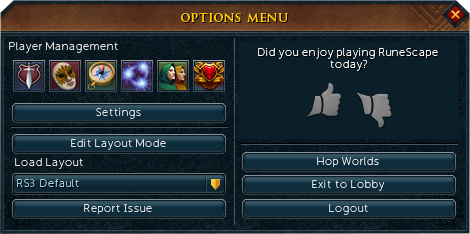
The options menu.
Graphics options
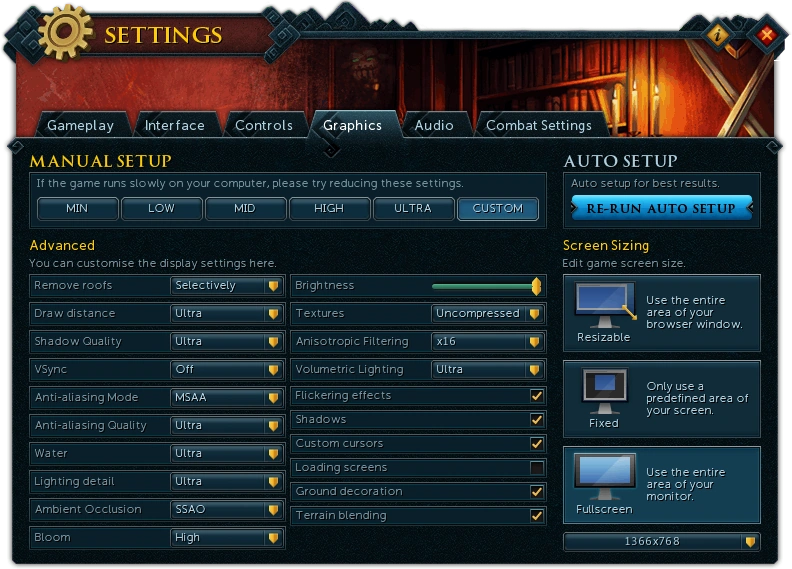
Custom graphics options interface
Graphic settings lets player to choose preferable and best setup to play RuneScape with.
Manual Setup
The current options for manual setup are:
- Min
- Low
- Mid
- High
- Custom
The first 4 options are presets of the graphical display options. The custom option allows further manually to fill in the desired selections.
Screen Sizing
The screen size may be adjusted as follows:
- Resizeable
- Fixed
- Fullscreen - This display can be gained by becoming a member.
Custom Options
- Display Mode DirectX/OpenGL
- CPU usage: Maximum/High/Normal/Low/Very low
- Remove roofs: Always/Selectively/All
- Idle animations: All/Many/Few
- Scenery shadows: Dynamic/Static/None
- Lighting detail: High/Low
- Water detail: High/Low
- Anti-aliasing: 4x/2x/None
- Particles: High/Medium/Low
- Max screen size: Any/1024x768/800x600
- Brightness: A slider control to adjust between four brightness levels within the game screen from darkest, on the left, to lightest, on the right.
- Ground decoration: On/Off
- Flickering effects: On/Off
- Character shadows: On/Off
- Fog: On/Off
- Custom cursors: On/Off
- Ground blending: On/Off
- Textures: On/Off
- Skyboxes: On/Off
- Mouseover text On/Off
- Bloom: On/Off
Audio options
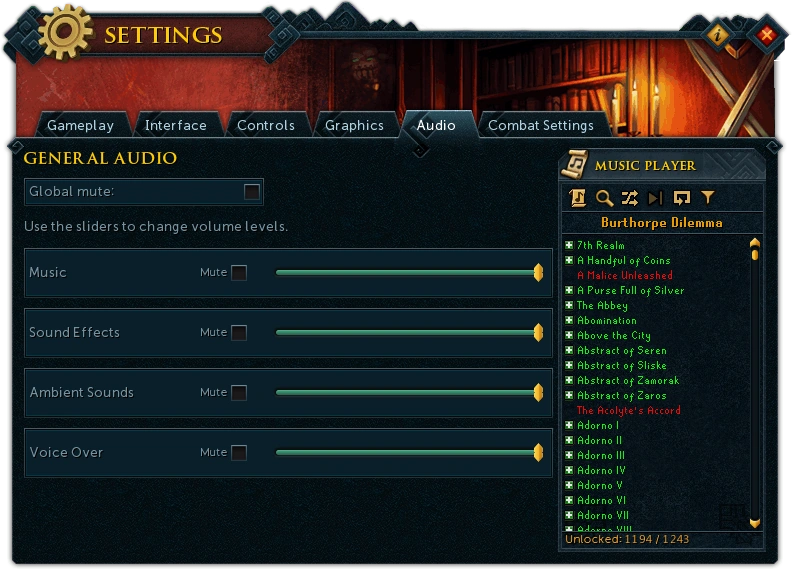
The "Audio Options" selections.
The audio options can be set from the options screen in the lobby or in-game.
What can I change?
- Music Volume: Changes the volume of the in-game Music Player.
- Sound Effects: Changes the volume of in-game sound effects, such as fighting or skilling sounds.
- Ambient Sounds: Changes the volume of surrounding area sounds. These include surrounding scenery sounds such as the ones in Lumbridge Swamp and Falador Farm with its surrounding areas or other player actions (teleporting, fighting etc).
- Voice Over: Changes the volume of voice-over whilst having conversation.
- Mono/Stereo: Switches between mono and stereo sound.
- Global Mute: Turns all in-game audio on or off.
Gameplay
These options can be found under Gameplay options tab in Settings.
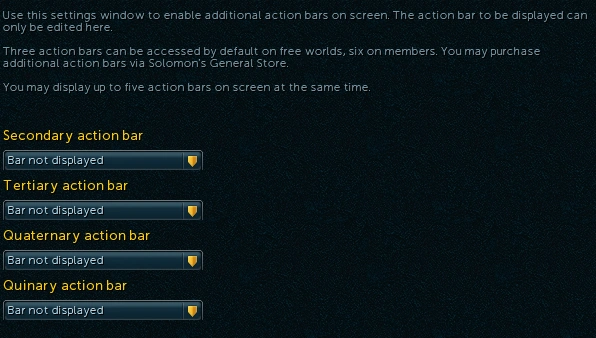
Action Bar Settings
- Gameplay Settings
- Loot Settings
- Death's Store Settings
- Player Owned House Settings
- Action Bar Settings
- Doomsayer Warning Settings
- Miscellaneous Settings
- Aid Settings
- Chat Settings
Historical buttons:


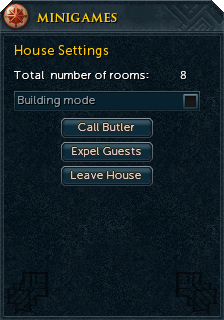
The house options screen.
Controls
These are the options allowed for controls and their defaults
Camera:
| Move Camera Up (Primary) | Up Arrow | Move Camera Up | W |
| Move Camera Down (Primary) | Down Arrow | Move Camera Down | S |
| Move Camera Left (Primary) | Left Arrow | Move Camera Left | A |
| Move Camera Right (Primary) | Right Arrow | Move Camera Right | D |
| Zoom In | Page Up | Zoom Out | Page Down |
Keyboard Sensitivity
- Horizontal
- Vertical
Mouse Sensitivity
- Horizontal
- Vertical
- Lock Zoom
- Camera Type: Classic/RS3
- Note: Classic camera follows the player exactly, whereas RS3 camera follows a delayed path based on averaged motion.
Action Bar
| Action Bar Slot 1 | 1 | Action Bar Slot 8 | 8 |
| Action Bar Slot 2 | 2 | Action Bar Slot 9 | 9 |
| Action Bar Slot 3 | 3 | Action Bar Slot 10 | 0 |
| Action Bar Slot 4 | 4 | Action Bar Slot 11 | - |
| Action Bar Slot 5 | 5 | Action Bar Slot 12 | = |
| Action Bar Slot 6 | 6 | Action Bar Slot 13 | |
| Action Bar Slot 7 | 7 | Action Bar Slot 14 | |
| Previous Action Bar | Shift + Q | Next Action Bar | Shift + E |
| Action Bar 1 | Shift + 1 | Action Bar 6 | |
| Action Bar 2 | Shift + 2 | Action Bar 7 | |
| Action Bar 3 | Shift + 3 | Action Bar 8 | |
| Action Bar 4 | Shift + 4 | Action Bar 9 | |
| Action Bar 5 | Shift + 5 | Action Bar 10 | |
| Sheathe/Unsheathe Weapon | * | Quick Heal | |
| Quick Prayer | Familiar Action | ||
| Auto-Retaliate | Special Attack | ||
| Action Button |
| Settings Menu | Esc | Hero | F1 |
| Gear | F2 | Adventures | F3 |
| Powers | F4 | Community | F5 |
| Upgrades & Extras | F6 | RS3 Helper | F7 |
| Lock Interface Customisation | L | Toggle Run | R |
| Open World Map | M | Open Home Teleport | T |
| Previous Home Teleport | Ctrl + T | Skills | H |
| Active Task | J | Backpack | B |
| Worn Equipment | N | Prayer Abilities | P |
| Magic Abilities | U | Melee Abilities | I |
| Ranged Abilities | O | Defence Abilities | K |
| Emotes | Music Player | ||
| Notes | Friends | ||
| Friends Chat Info | Clan | ||
| Group Members | G | All Chat | |
| Private Chat | Friends Chat | ||
| Clan Chat | Guest Clan Chat | ||
| Trade and Assistance | Group Chat | ||
| Open World Select |
Audio
| Global Mute | Ctrl + G | Music Mute | |
| Sound Effects Mute | Ambient Sounds Mute | ||
| Voice Mute |



_interface.png)
_interface.png)

