
The clock is a heads up display that shows the current game time (UTC). This heads up display is important in cases of some Distractions and Diversions that reset at 00:00 UTC or special events that have require players to participate at a specific time and/or place.
Calendar
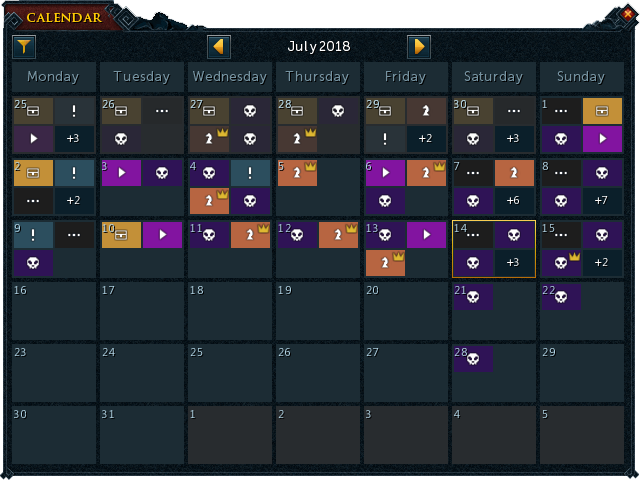
The in-game event calendar
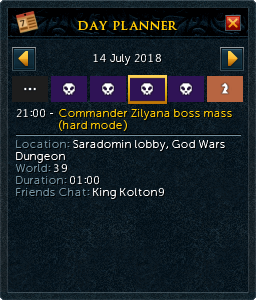
The day planner
Clicking on the clock opens the in-game event calendar, which displays upcoming events in RuneScape. The calendar has a month view which allows players to click on a specific day to show the day's events on a day planner interface.
The different types of events shown on the calendar are:
 Boss masses
 In-game events, such as game updates
 Livestreams
 Miscellaneous events
 Treasure Hunter promotions
 Minigame events, such as Castle Wars


Settings
There is the option to turn off the clock under interface settings (displayed on the right side of Warnings Settings and below "Skill targets based XP popups". There are also 2 other options in that interface settings for the display of the clock
- UTC Clock - On (Full Background): Displays the clock with a background
- UTC Clock - On (Border Only): Makes the background of the clock transparent but leaves the border around the clock
The position of the clock can also be edited on the full HUD edit mode.


