
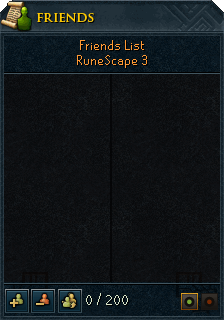
The friends list menu.
The Friends List can be used to send private messages to other players, including moderators, and to see which worlds they are currently on. Ignore List can also be reached from this tab.
If a player's private chat is set to off, then they will always appear as offline and it will not be possible to send them a private message. If their private chat is set to friends, then only people on the player's Friends List will be able to send them private messages. If attempting to send a message while the recipient logs out, it will say this player has left the server.
To add a player to the Friends List, click the yellow Add friend button in the Friends List interface, type the player's name, and press enter, or simply right-click their name in the chat box and select Add friend.
To delete a player from the Friends List, either right-click their name on the Friends List and click Delete, or click the red Remove friend button, type their name and press enter. The friends list can hold up to 200 names for free players and 400 for member players.
The third icon beside the Remove friend is labelled "Recruit a friend". Upon clicking you will be directed to a new tab or page offering the Refer a Friend Programme.
If a player meets one of their friends in game, the friend's character will be represented by a green dot on the minimap, instead of a white dot like most other players.
The divider between the usernames and the status on the Friends List is movable. This is so players can view the full usernames of friends with long names.
Status of friends
- Green - means the player is online, and in the same world as you.
- Yellow - means the player is online, but is in a different world, a Funorb game that you are not playing or the Lobby.
- Offline - means the player is offline, or has their private chat set to friends, if you are not on their friends list, or off.
Trail
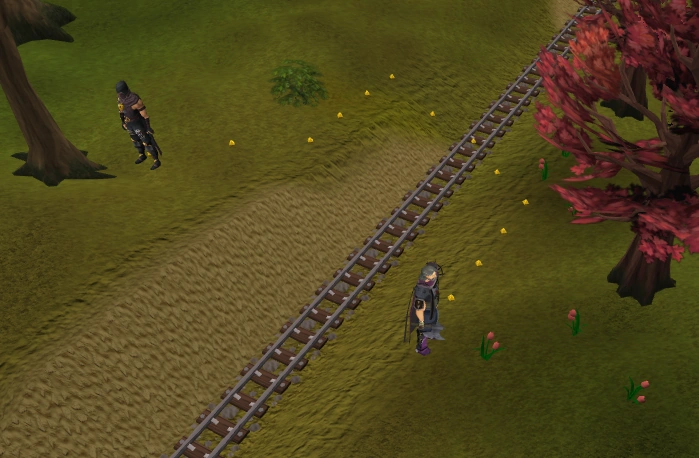
Trailing a friend
The trailing option allows a player to path the optimal route to reach their friend assuming the other player is on the same world, is on the same floor/level, and is close enough.
Join
The join option allows a player to instantly switch their world to the one their friend is on, or, if currently on the same world, teleports them to the nearest activated lodestone if their friend is in close proximity to one and then activates a trail. This switches worlds faster than logging out and using the world select option on the World Map icon and saves a click, and is especially useful when it doesn't matter which world you switch to (such as repeatedly hopping to take advantage of resources). This option is also available for Clan Chat - and it may be easier, especially since clanmates have 4 right click options while a friend has 7 (8 if they are also a clanmate).
If your friend is closest to the Wilderness Volcano lodestone, you will be given a warning and asked if you really wish to teleport there.
Inactive or non-existent friends
It's impossible to add friends to your friends list that don't exist.
Many inactive accounts have had their character names removed and made available to other players to obtain. Such accounts, until such time their user chooses one, will have no name to display on the Friends List. Players with friends who were deemed inactive, will note usernames such as [#123456789] on their Friends List.
When a friend who has been inactive for 30 days or more logs in, players that have them on their friends list will be given one of the following in game notifications:
 Player has returned to RuneScape after a break. Why not greet them?
- Player has returned to RuneScape after a break. Why not say hi?
- Player has returned to RuneScape! Help out and get them up to speed!
- Player has returned to RuneScape. Tell them about what they have missed.
- Player has returned to RuneScape. Welcome them back!

Trivia
- A current glitch with the Refer a Friend Programme causes the newest person on your friends list to show as the friend you recruited, instead of the actual friend.
- The capacity for members was updated from 200 on 17 September 2013.
- Before an update on 25 May 2010, free players could only have 100 friends.


