| |
| Release date | 7 October 2009 (Update) |
|---|---|
| Members | Yes |
| Quest | No |
| Location | Near the Makeover mage |
| Examine | This will take my picture and send it to the forums. |
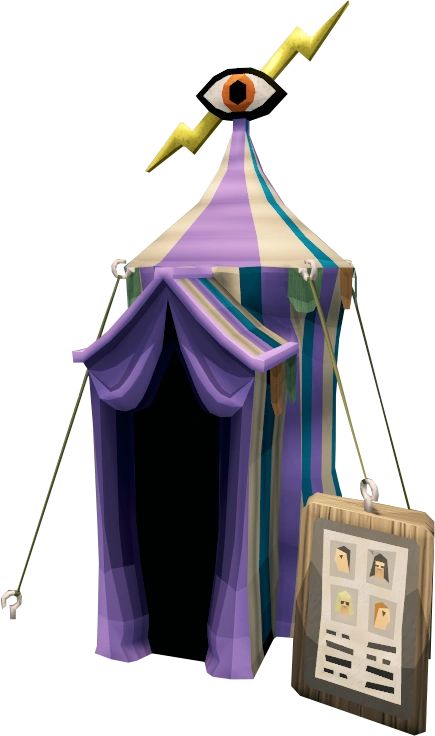
The Photo Booth is a members-only feature released with the Photo Booth and Forum Avatars on 7 October 2009. It allows Iconis to take an in-game photo of the player's character for use as an avatar on the RuneScape forums. The booth is located at the South-West corner of the Falador outer wall next to the Makeover Mage.
It is recommended that you visit a bank or perhaps even your Player-owned house prior to visiting the photo booth, where you may dress up in whatever costume you have and want to be photographed in. At the moment, all that is seen on the forums is a head image. In other words, it will only display items that can be seen on your head (gaze auras are not shown either). The result is similar to what is seen in the dialogue box when you talk to NPCs.
Players can talk to Iconis to get a quick overview on how the Photo Booth works, but they can also simply walk into the booth by right clicking "Enter Photo Booth" to have their image taken. Iconis's tent is located west of Falador, north of the Makeover Mage.
When visiting a player's Adventurer's Log, the full body shot can be seen, as well as the head image.
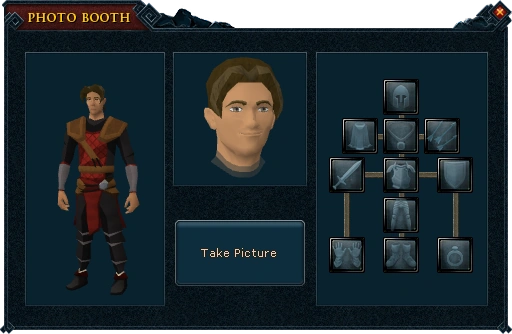

The Photo Booth interface
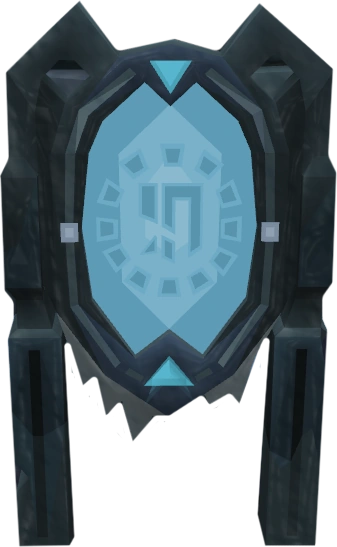
With 5 Dungeoneering, you can take a photo in Daemonheim by building a photo booth in the start room hotspot. No materials are required to build it, and it can be built at any Construction level.
If a player has completed the Tirannwn Tasks, and while wearing the Tirannwn quiver 4, they can take a picture as any of the current eight Elven clan leaders.
.png)
The Photo Booth that can be built while Dungeoneering
Restrictions
The Photo Booth has a few restrictions in place, to ensure it works smoothly. In order to limit players who constantly change their mind about the photo, this action can only be done again at least two hours after the last visit to the photo booth. Also, no lent items can be taken into the Photo Booth, only items that the player owns. This has lead to some scams in which players ask others to give them valuable items, such as partyhats, through trust trading to take a photo.
Use on external sites
Images captured via the Photo Booth can also be displayed on applicable fan sites and on the user page of this wiki. To reference these images, it is recommended that you use the following syntax that Jagex has established for character avatars:
The following formats should be used:
Body shot: http://services.runescape.com/m=avatar-rs/<your character name>/full.gif
Head shot: http://services.runescape.com/m=avatar-rs/<your character name>/chat.gif
Note: "<your character name>" must be your display name, and not the username you use to log in to the website with.
Trivia
- There is a glitch that if you try to perform a Teleport Spell while still in the tent (after taking your photo) you will do the teleportation process but you will not go anywhere, causing you to waste your runes and/or tablets and you will lose the picture you just took.
- Sometimes your avatar picture can be glitched to where the face and body pictures don't match.
- If a player somehow manages to use the photo booth while inside the penguin suit or holding a monkey greegree, Iconis will say "Aww how cute. Sorry, but I'm afraid this service is for humans only." This is most likely directed at bug abusers who would try to obtain a glitch avatar.
- When random events existed, if a player received a random event whilst inside the photo booth, after completing the event they would be teleported to a small building behind Lumbridge Castle and would have had to make their way back to the booth again.
- Free players who have been a member and took their picture while a member are unable to use it on websites after their membership expires.
- Though the forum avatars look to be more advanced versions of your RuneScape chat box head, they're actually far less advanced, barely 3D. In fact, some hats have only one pixel colour (such as the black wizard's hat).
- When taking a picture, the eye at the top of the tent will close for a second.
- The Imp in a Box is a reference to Terry Pratchett's Discworld novel, The Colour of Magic in which an imp in a box draws pictures for the tourist Twoflower.
- After the update on 4 March, 2013 that made Taverley, Burthorpe, and the area west of Falador accessible to free players, free players can now reach the tent but cannot use it.